EA-Logo-RGB-Master_Yellow-Dark-Grey-Black


Currency

Cart 0

SIGN UP FOR $10 OFF YOUR FIRST ORDER

Sorry, looks like we don't have enough of this product.

Pair with
Estimate shipping
Add order notes
Is this a gift?
Subtotal Free
View cart
Shipping, taxes, and discount codes are calculated at checkout

Your Cart is Empty

Home / Lighting / Driving & light bars
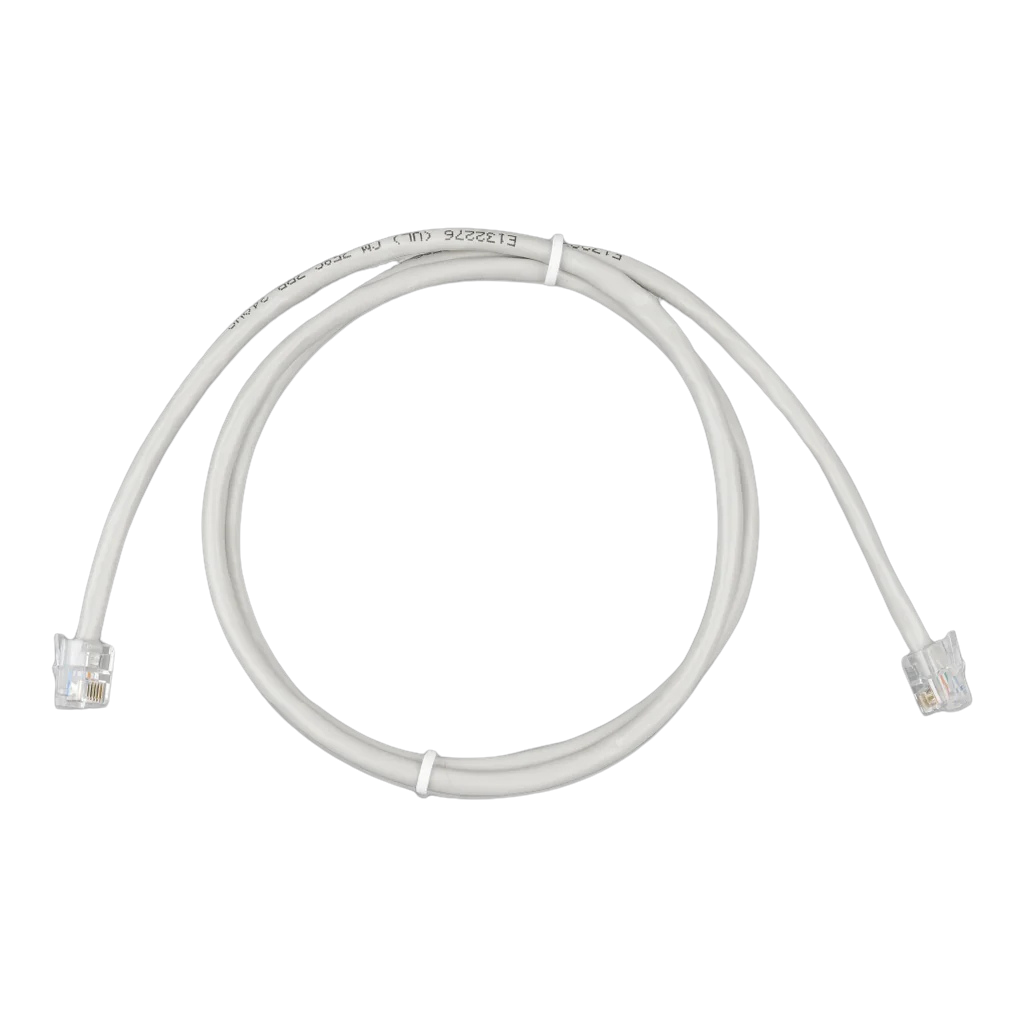
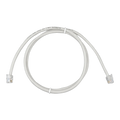
Victron RJ12 UTP cable with an RJ12 (6P6C) plug at each end

Victron Energy

Victron RJ12 UTP Cable

ASS030066003

Genuine Victron RJ12 UTP cable connecting a BMV-700, BMV-702 or BMV-712 Smart shunt to its head-unit display, in place of the standard cable.

Connector: RJ12 (6P6C)
Cable Type: UTP

$13.50

4 interest-free payments of $3.38 with
or finance your build with
Length
We accept
Universal fitmentReplacement or extension data cable linking a Victron BMV-700, BMV-702 or BMV-712 Smart battery monitor's shunt to its head-unit display.

Shipping & collection

Worldwide shipping available*
In-store pickup
Professional installation available

*Shipping is calculated at checkout based on your location. Some products can't be delivered to every address.

This RJ12 UTP cable connects a Victron BMV-700, BMV-702 or BMV-712 Smart battery monitor's shunt to its head-unit display. It's the same style of cable Victron ships in the box. Order this if the standard cable is the wrong length for your install, or you need a spare.

All six conductors are wired straight-through, pin to pin, which is what keeps the shunt's voltage and data readings accurate over the length of the run. A cable with the wrong pinout, or too much resistance, can throw the shunt's numbers out, so it's built to the same spec as the original rather than a generic phone lead.

Note the cable is for the BMV-700, BMV-702 and BMV-712 Smart shunt-to-display link only. It will not connect a SmartShunt or an MPPT solar charge controller; those use Victron's separate VE.Direct port and a different cable.

Which length do I need?

Match the length to the distance between the shunt (mounted at the battery) and where the head-unit display sits:

Length Typical use
0.3m Shunt and head unit mounted in the same panel or enclosure
0.9m Shunt near the battery, head unit on a nearby dash or panel
1.8m Head unit mounted further away, in a separate compartment or on a cabin wall
3m Longer runs. Shunt in the engine bay or battery box, head unit inside the cabin

Pairs with

  • Straight-through wiring — All 6 conductors pin-to-pin
  • Drop-in replacement — Same RJ12 plug as the original
  • Length-matched fit — Pick the length your install needs
  • Genuine Victron — Same spec as the in-box cable

Cable

Connector: RJ12 (6P6C)

Cable type: UTP

Wiring: Straight-through

Cores: 6
ASS030066003: 0.8 x 13 x 13mm

ASS030066009: 1.1 x 13 x 13mm

ASS030066018: 1.5 x 14 x 14mm

ASS030066030: 2 x 14 x 14mm

Replacement or extension data cable linking a Victron BMV-700, BMV-702 or BMV-712 Smart battery monitor's shunt to its head-unit display.
Compatible with BMV-700, BMV-702 and BMV-712 Smart shunt-to-display connections
Not compatible with SmartShunt or MPPT solar charge controllers. Those use Victron's VE.Direct port instead

Q: What does this cable actually connect?
It links a Victron BMV-700, BMV-702 or BMV-712 Smart battery monitor's shunt (the sensor block clamped to the battery negative terminal) to its separate head-unit display. The shunt does the current sensing; the head unit shows you the numbers. This cable carries that link between them.

Q: What do RJ12 and UTP actually mean?
RJ12 is the plug shape, a 6-position, 6-contact (6P6C) modular plug, the same physical connector family used on some telephone handset cords. UTP means unshielded twisted pair, describing the cable construction inside. Together they describe the connector and cable type, not a shape unique to Victron.

Q: Will this work with my SmartShunt?
No. SmartShunt is a separate Victron product line that connects over Bluetooth or Victron's VE.Direct port. It has no RJ12 connection to a BMV head unit at all. If you're running a SmartShunt, you don't need this cable.

Q: Will this work with an MPPT solar controller?
No. Victron's MPPT solar charge controllers use the VE.Direct port, a different connector and protocol to this BMV shunt-to-display link. If you're connecting an MPPT controller to a GX device or a VE.Direct-to-USB dongle, you need a VE.Direct cable instead.

Q: Can I use a generic phone or network cable instead?
Not recommended. All six conductors need to be wired pin-to-pin, and the cable's resistance affects how accurately the shunt's voltage reading reaches the display. A cable with the wrong pinout, or too much resistance, throws the readings out. It's worth using one built to the same spec as the original.

Q: How long is the cable that ships with a new BMV monitor?
Victron ships a 10-metre cable as standard with new BMV monitors. These shorter lengths (0.3m to 3m) suit installs where the shunt and head unit sit much closer together, or work as a spare.

Q: Which length do I need?
Match it to the distance between the shunt (usually right at the battery) and where the head unit is mounted. As a guide: 0.3m for a shunt and head unit sharing the same panel, 0.9m for the head unit on a nearby dash, 1.8m for it mounted further away in a separate compartment, and 3m for longer runs such as an engine-bay shunt to a cabin-mounted display.

Q: Can I join two of these cables to make a longer run?
Not recommended. Every join adds resistance and a potential point of failure, which affects the accuracy of the shunt's voltage reading. If you need a longer run than we stock, use a single longer cable rather than joining shorter ones end to end.

Q: Is this cable shielded?
No. It's unshielded twisted pair (UTP), the same as Victron's own standard cable. The signal isn't a high-speed differential signal, so shielding isn't required for normal automotive and marine wiring environments.

Q: Does this cable carry power to the head unit?
No. It carries the shunt's data and sense signals only. The BMV head unit is powered separately by the system it monitors. This cable doesn't power anything.

Join our community.